TikTok to MP3: Free TikTok Audio Downloader
Converting a tiktok to mp3 file is simpler than most people expect. You paste the video link into a tiktok video to mp3 converter, the tool strips the audio track, and within seconds you get a downloadable MP3 file with no watermark and no app install required. This works on iPhone, Android, and desktop browsers alike.
That said, not every converter site is trustworthy, and not every use case is legally safe. We'll walk you through exactly how to download tiktok audio, what to watch for, and which method fits your device.
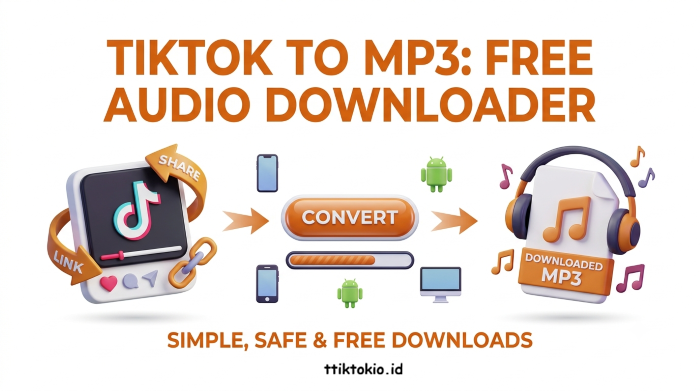
How to Convert TikTok to MP3
- Copy the TikTok video link from the share menu.
- Paste it into a free online TikTok MP3 converter tool.
- Click “Download” and wait a few seconds.
- Download the MP3 file to your device.
- Save it to your music app or files folder.
What Is a TikTok Audio Downloader (Online Converter Tool)
A TikTok Audio Downloader is a browser-based tool that pulls the sound out of any TikTok clip and saves it as a standalone MP3 file. It's the fastest option because it requires no software installation.
You open the site in any browser, paste the video URL, and the tool processes everything on its own server.
Here's the general flow:
- Open the TikTok app and find the video you want.
- Tap the “Share” arrow and select “Copy Link.”
- Go to our user-friendly TikTok sound downloader and paste the link into the input box.
- Click the “Download” button.
- Choose MP3 as the output format.
- Press download once the conversion finishes.
Step-by-Step Methods to Extract Audio from TikTok
How to Extract Audio from TikTok on iPhone
The process for tiktok to mp3 iphone users is nearly identical to desktop, with one extra step because iOS handles downloads through the Files app rather than a generic downloads folder.
- Copy the video link from TikTok's share sheet.
- Open Safari or Chrome and paste the link into the converter.
- Tap convert, then tap the download button that appears.
- iOS will prompt you to save the file to “Files” or “On My iPhone.”
- Open the Files app afterward to confirm the MP3 saved correctly.
How to Download TikTok Audio on Android
- Copy the TikTok link the same way as on iPhone.
- Paste it here.
- Tap “Download.”
- Choose MP3 as the output format.
- The MP3 will appear in your phone's default downloads folder or notification tray.
- Move it into a music folder if you want it to show up in apps like Spotify's local files or a default music player.
Converting TikTok to MP3 on Desktop or PC
Desktop users generally have the smoothest experience because there's more screen space to review the tool before clicking anything.
- Open TikTok's website, or find the video's URL directly.
- Paste the link into a TTiktokio.id converter.
- Convert and download, watching for the actual download button rather than an ad disguised as one.
- The file typically lands in your default “Downloads” folder.
Desktop also makes it easier to batch download TikTok music from multiple videos in one sitting, since you can open several tabs and process links in parallel.
Is Converting TikTok to MP3 Safe?
This is where most guides fall short, so let's be direct: some converter sites are safe, and some are not. The difference usually comes down to how the site is built and what it asks you to click.
| Pros (Trust Signals) | Cons |
|---|---|
| A single, clearly labeled download button | Multiple “Download” buttons on one page (usually only one is real, the rest are ads) |
| No requirement to install software | Pop-ups asking you to install an extension or “media player” before downloading |
| HTTPS in the URL bar | Sites that demand personal information, email addresses, or account sign-ups for a simple MP3 conversion |
| Straightforward, minimal ads rather than aggressive pop-unders | Redirect loops that open new tabs the moment you click anything |
Comparing TikTok to MP3 Conversion Methods
Different tools trade off speed, quality, and how many ads you'll sit through. Here's a side-by-side look.
| Method | Speed | Audio Quality | Ads | Mobile-Friendly |
|---|---|---|---|---|
| Browser-based online converter | Fast (5-15 sec) | High (usually 128-320kbps) | Low to moderate | Yes |
| Dedicated converter app (Android) | Moderate | Variable | Often heavy | Yes, but risk of bundled software |
| Browser extension | Fast | High | Low | Desktop only |
| Manual screen recording + audio extraction | Slow | Lower (re-encoded) | None | Yes |
| Desktop software download | Moderate (install time) | High | Varies | No |
For most people, a simple browser-based tiktok video to mp3 converter hits the best balance of speed and audio quality without needing to install anything.
Frequently Asked Question
No, converter tools can only process public videos since they need a live, accessible link to pull audio from. If the video is set to private or has been deleted, the conversion will fail regardless of the tool you use.
Not really. A typical TikTok clip produces an MP3 file between 1-5MB, so you could convert hundreds of clips before it noticeably affects storage on a modern phone.
No, you don't need to sign up for any account to download audio from TikTok.
This depends on whether the audio is original content from the creator or licensed music featured in the clip. Licensed tracks typically require separate permission or licensing before commercial use, so check the source of the audio before reusing it elsewhere.
Some converters re-encode audio at a lower bitrate to speed up processing, which can slightly reduce clarity compared to the source. Choosing a tool with a 320kbps option usually closes that quality gap.